Overview
Get started with Master CSS
This section walks you through learning and starting to use Master CSS.
Getting Started
Introduction to Master CSS
Learn what Master CSS is, write your first classes, and choose the next guide to read.
Installing Master CSS
Install Master CSS with Vite, generate CSS from class names, and start styling in a few steps.
Compatibility
Learn browser support, native declaration fallback, vendor prefixes, modern CSS feature strategy, and how Master CSS coexists with third-party styles.
Migrating to Master CSS
Migrate existing projects to Master CSS with incremental setup, styling-system audits, and review workflow.
Agentic Workflows
Language Service for Master CSS
Use manifest-aware editor intelligence for Master CSS classes, directives, project tokens, generated CSS previews, colors, and workspace-specific configuration.
AI Coding with Master CSS
Use AI coding agents to write, review, and validate Master CSS classes with project context, prompts, linting, and visual checks.
MCP Server for Master CSS
Connect AI clients to Master CSS project context, diagnostics, generated CSS previews, and safe write previews through the Model Context Protocol.
Syntax Tutorial
Style Declarations
Learn how Master CSS turns class names into CSS declarations, values, units, functions, variables, and shorthands.
State Selectors
Learn how to append selectors for hover, focus, attributes, descendants, pseudo-elements, and custom states.
Conditional Queries
Learn how to append condition suffixes for breakpoints, modes, media types, container queries, supports checks, and ranges.
Directives
Use Master CSS stylesheet directives for entries, settings, theme tokens, managed definitions, source scanning, composition, and native CSS preservation.
Authoring
Theme Tokens
Define shared design tokens with @theme for colors, spacing, typography, radius, breakpoints, containers, shadows, and motion.
Global Styles
Set up the global Master CSS entry, base layer, theme tokens, native global CSS, and shared component or utility vocabulary.
Route-level Styles
Write route, page, and component-specific CSS with @reference, native selectors, @compose, variants, container queries, and native keyframes.
Authoring Packages
Create a simple CSS-only package that shares Master CSS tokens, variants, utilities, and component vocabulary.
Code Linting for Master CSS
An ESLint integration for enforcing team coding styles, making your template markup more organized, and catching syntax errors early.
Fundamentals
Cascade Layers
Understand how theme, base, defaults, components, and utilities layers control style priority.
Monorepo
A guide to setting up Master CSS in a modern repository.
Rendering Modes
Understand how the rendering modes of Master CSS work and enhance your website's performance.
Responsive Design
Adapt your user interface to different devices with flexible responsive syntax.
Variables and Modes
Understand how Master CSS resolves theme variables, emits CSS custom properties, and applies light, dark, and custom modes.
View Transitions
Create state and page transitions with the browser View Transition API and Master CSS syntax.
Design Foundations
Breakpoints
Define viewport breakpoint tokens and use responsive variants for page-level layout, typography, and density changes.
Colors
Choose palette steps, preset color roles, and mode-aware hue aliases for light and dark UI.
Containers
Use container size tokens for reusable width caps, component dimensions, and container query variants.
Corner Radius
Use radius tokens, pill shortcuts, circular shapes, and custom corner scales consistently.
Elevation
Create depth with light and dark shadow tokens, layered surfaces, and state-aware elevation.
Layout System
Build responsive layout systems with containers, columns, gutters, breakpoints, container sizes, spacing tokens, CSS Grid, and Flexbox.
Motion
Create motion with managed keyframes, duration tokens, easing tokens, shorthands, and reduced-motion conditions.
Sizing
Choose fluid dimensions, measured sizes, container caps, constraints, and responsive sizing rules for stable layouts.
Spacing
Use spacing tokens, base-unit multipliers, and precise low-level values for layout rhythm.
Typography
Use text scale tokens, font utilities, line height, letter spacing, families, and weights.
Build & Delivery
Benchmarks
Read reproducible Master CSS benchmarks for the runtime/CSSOM tradeoff: small runtime, fewer CSS rules, browser cost, and lifecycle behavior.
Optimizing critical resources
The runtime engine plays a crucial role in the initial display of a page.
Native CSS pruning
Understand how Master CSS prunes unused native CSS class rules from managed stylesheets.
Scanning latent classes
Understand how Master CSS finds possible class names in source files and turns visible usage into generated CSS.
Preventing flash of unstyled content
Improve the page loading experience and ensure seamless rendering of content.
Get ready for the journey
Use documentation
You can embark on an in-depth study of Master CSS without prior CSS expertise. Each document features demonstrations and fundamental usages of the intended functionalities.
The Master CSS helps you lower the threshold for learning CSS.
A few notes on using these documents:
- Get an overview of almost all the documents via the navigation on the left side of the screen, and there are only a few categories.
- On the right side, you'll see a table of contents that makes navigating between page sections easier.
- Click the search box on the left side or use the shortcut Ctrl + K or ⌘ Command + K to search the entire site.
- Every class name in the document can preview the generated CSS rules by hovering.
<div class="hidden@<sm&>md">Try hovering over the class</div>Try Master CSS online
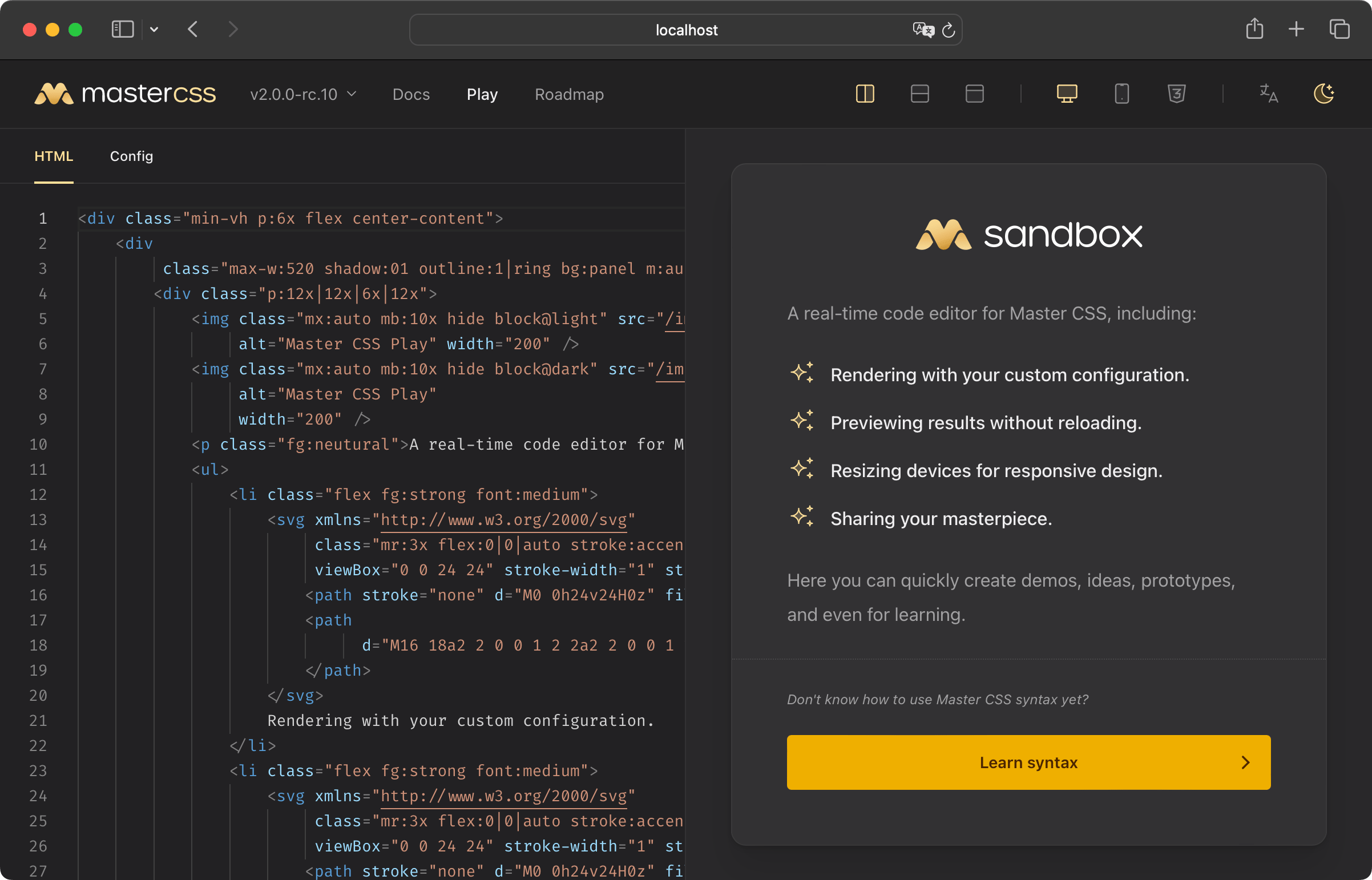
You can use the official Master CSS Play to edit, preview, view the generated size, and even share your design online.
Join our community
If you have questions about Master CSS, you're always welcome to ask our community on:
- GitHub Discussions: Ask questions and share insights.
- Discord: Join real-time conversations with humans.
- Twitter: Stay updated on Master CSS
We're here to support your Master CSS journey!